Supported AI requests are checked before they leave the device.
SAFE is designed to inspect AI requests on the device and help security teams apply policies to sensitive data.
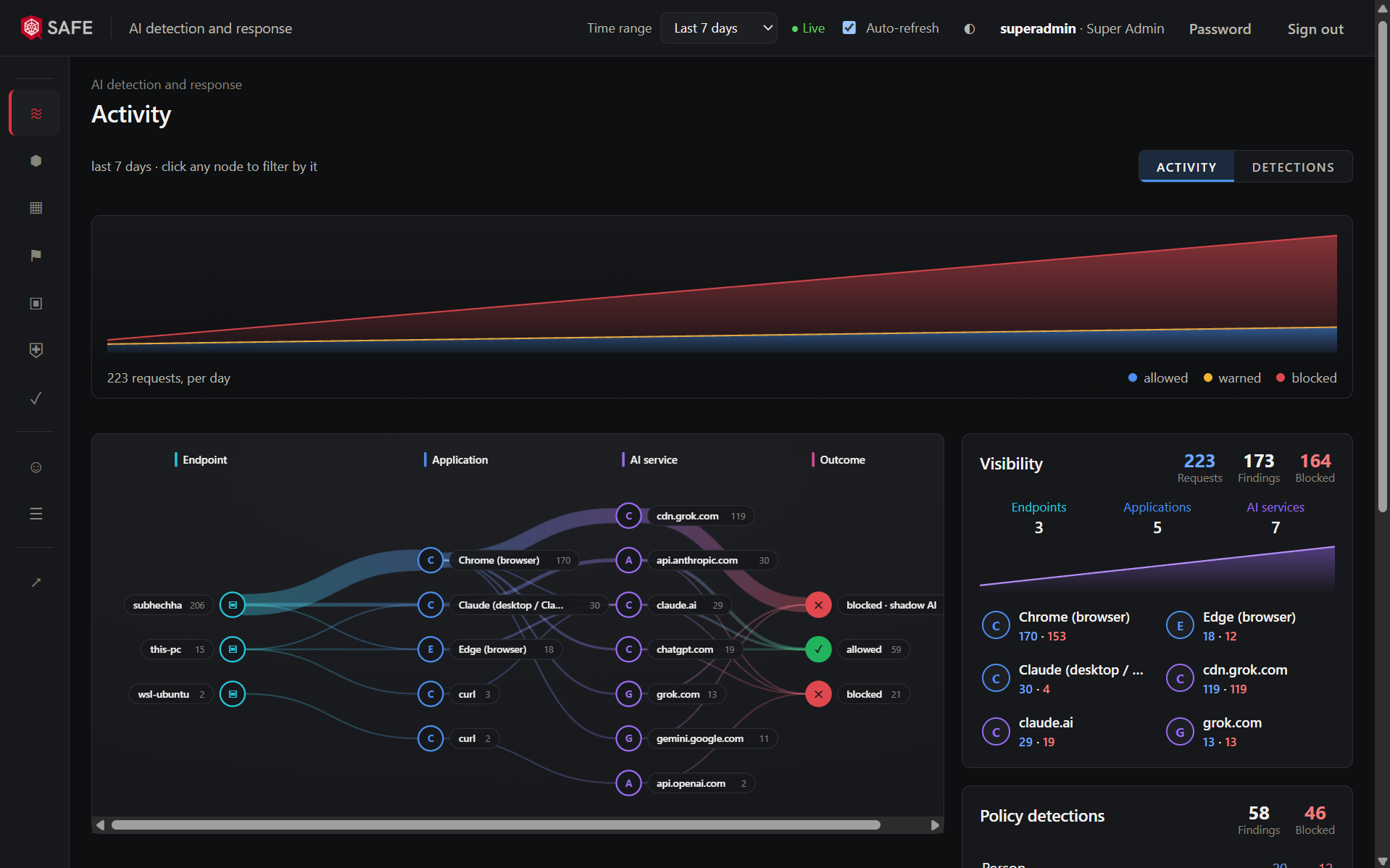
Illustrative console view with sample data.
What SAFE does
The endpoint agent is designed to inspect supported AI traffic from browsers, desktop applications, and terminals, then apply an allow, warn, or block policy.
Detection decisions are designed to run on the device. The management server distributes policy and collects event metadata.
Ask about SAFE All products- Availability
- Open source
- Product
- Endpoint AI detection and response
- Agent platform
- Windows 11
- Website
- SAFE website
Evaluating SAFE
SAFE has been evaluated using synthetic prompts. Detection results can vary by data type and environment; teams should assess coverage, false positives, and bypass resistance against their own use cases.
Visit the SAFE websiteWhere the control sits in the request path.
01
Capture
The agent takes the connection at the network layer. Only AI services are opened.
02
Inspect
Fifteen request formats are parsed and 23 categories are checked, including screenshots and documents.
03
Decide
Findings are scored by category and origin into allow, warn, or block.
04
Stop
The request ends on the live connection, and the user is told why and whom to ask.
The agent is designed to inspect AI traffic while leaving unrelated application traffic outside its inspection scope.
What the platform includes.
Endpoint agent
Runs on the endpoint and is designed to inspect supported AI traffic from browsers, desktop apps, and terminals.
Detection engine
Rules where the format is fixed, models where it is not. Vendor keys are checked with real checksums; personal data uses Presidio and spaCy.
Policy and risk
One action per detector. Policy is published from the console, Ed25519-signed, and verified on every device.
Management console
Activity flow, AI agent inventory, findings, and endpoints, with roles and an audit log. The console is designed to receive metadata without prompt text.
Evidence vault
Prompts kept for incident response are sealed on the device, encrypted to the incident response key before they are stored.
Governance mapping
Controls mapped to ISO/IEC 42001, NIST AI RMF, ISO 27001, GDPR, OWASP, and ATLAS, with event counts as evidence.
The console, without the content.
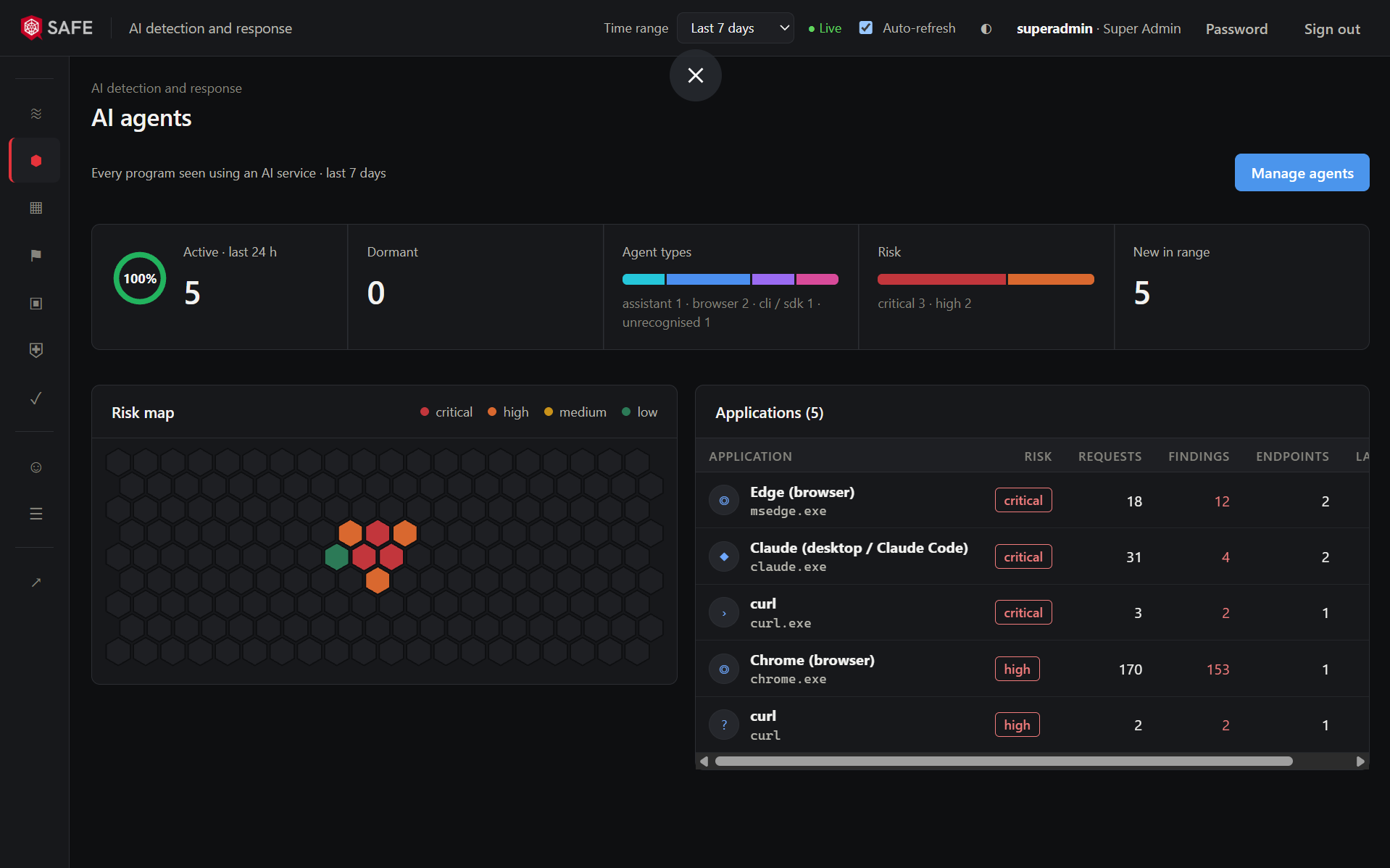
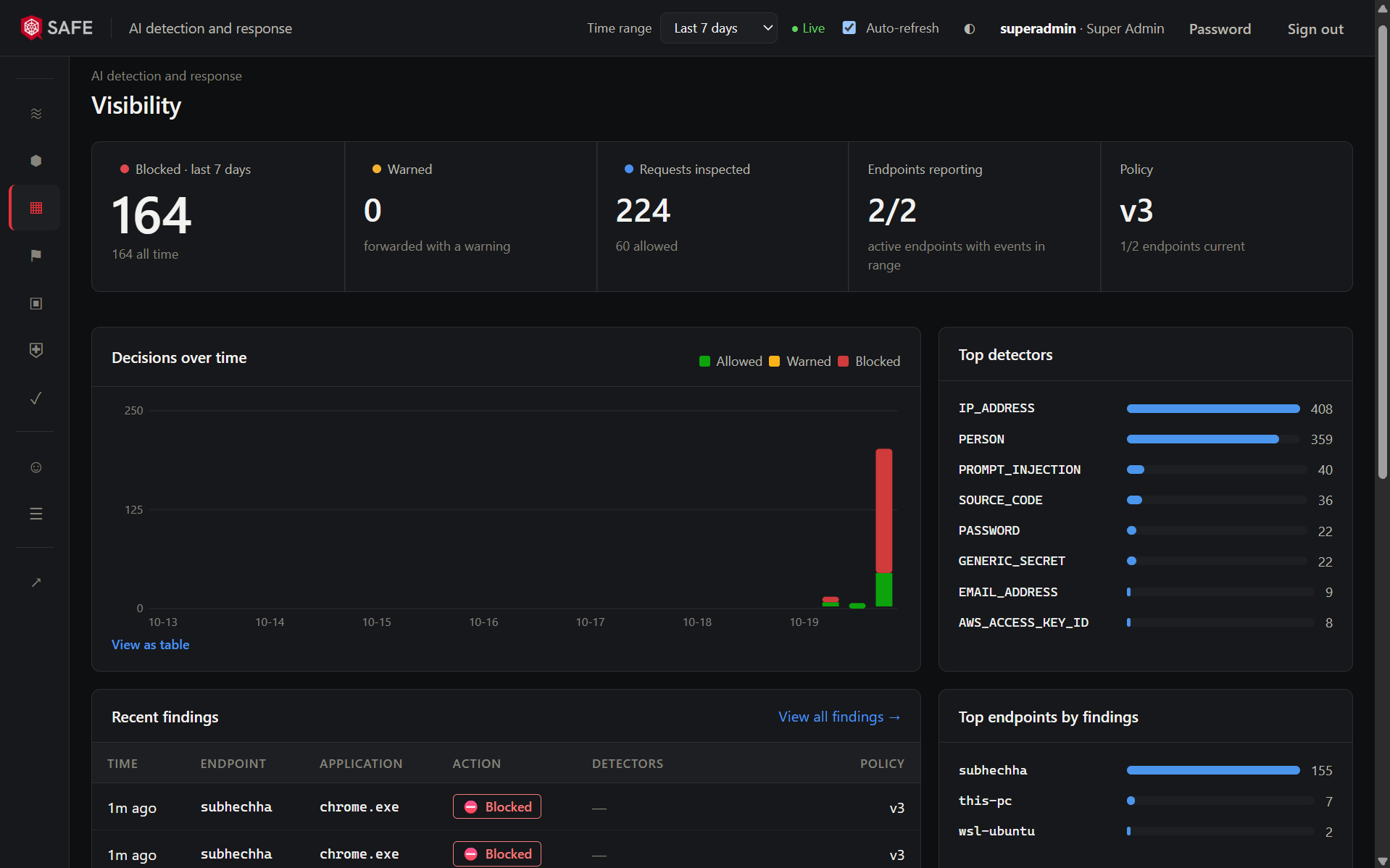
The flow from endpoint to application to AI service to verdict, plus agent risk and findings, is built from metadata only.
Activity: inspected requests from endpoint to verdict, built from metadata. The console is designed to receive metadata without prompt text.
Why inspect on the endpoint.
Each place you can watch AI use sees a different slice of it. These are the typical properties of each approach, not claims about any one product.
| Placement | Browser extension | Network gateway | SAFE endpoint agent |
|---|---|---|---|
| Sees desktop apps, IDEs, and terminals | No | If routed through it | For supported traffic |
| Works off the company network | Yes | Depends on routing | Depends on deployment |
| Reads tool results an AI agent sends back | No | Varies | For supported traffic |
| Knows which program sent the request | Browser only | No | For supported traffic |
| Decides before the prompt leaves the device | Yes | Depends on placement | For supported traffic |
Private by design.
Focused on AI traffic
The agent is designed to inspect AI traffic rather than unrelated application traffic.
Metadata in event logs
Events record metadata such as the decision, data categories, and source application.
Evidence sealed on device
Encrypted before it is stored anywhere, and every view of it is logged.
Signed, verified policy
Devices retain the last verified policy when an updated policy cannot be verified.
Start with one device.
SAFE is agent-based and open to evaluation. Ask about a walkthrough, deployment, or governance mapping for your environment.